Introducing Glass: A Markdown Publishing System on Cloudflare
Inside Glass: portable Markdown, a CodeMirror studio, build-time rendering, and a private Cloudflare authoring system that publishes static reading artifacts.
Source: https://lapotron.com/article/introducing-glass/
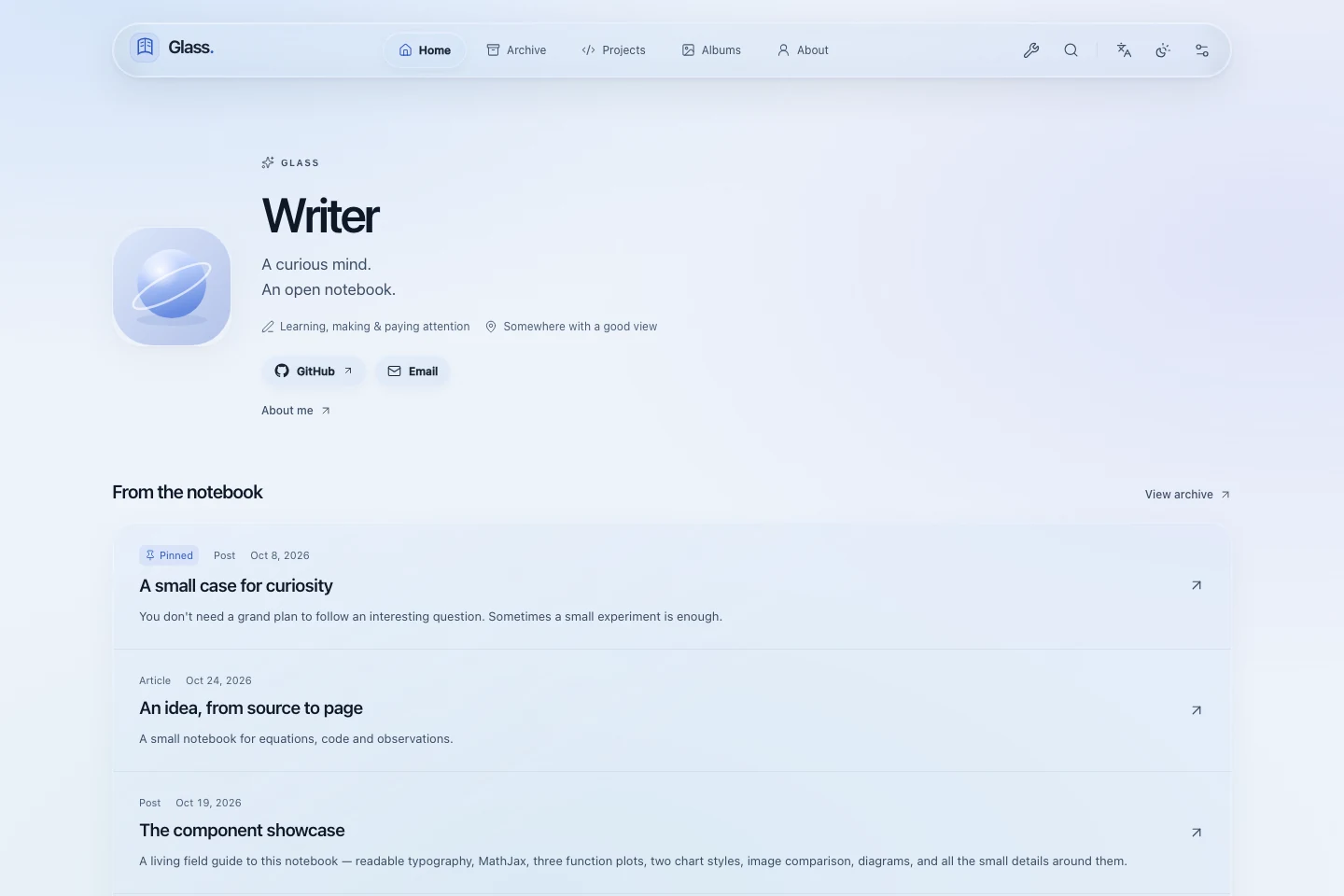
Glass is the publishing system behind this notebook: a Markdown studio, a custom static engine, and a reader interface inspired by Liquid Glass. The reusable project is available on GitHub under the MIT license.
Its architecture starts with three requirements. Writing should have the assistance of a proper editor. Published articles should arrive as complete, readable documents. The author should retain portable content and control over publication.
Those requirements lead to a useful separation: an interactive authoring application prepares a static reading artifact. Cloudflare can host both sides, while local authoring remains available. The shared compiler keeps their interpretation of a document consistent.
A document is the starting point
Glass stores entries as UTF-8 Markdown with YAML frontmatter. Site settings, albums and projects use JSON. Ordinary media references remain paths such as /media/illustration.webp.
An entry has a stable identity alongside its editable title, slug, date, tags and publication status. A simplified document looks like this:
Studio normally allocates the identity. Keeping it stable connects revisions, short links and collection operations to the same piece of writing. Collection labels and public paths are configurable; the underlying content kinds retain their own identities.
The Markdown body stays one continuous document. Headings, paragraphs and lists remain ordinary prose. Directives supply explicit structures such as a theorem, figure or callout; validated data fences describe interactive components. Inline HTML passes through sanitization. Fenced programs are displayed as source text.
The supported dialect is versioned as fieldnotes-markdown/1. Its catalog drives component schemas, examples, validation and editor assistance. External authoring tools can inspect that same vocabulary, reducing the gap between a generated draft and what the compiler actually understands.
Two authoring runtimes, one content contract
The local Studio runs on Node.js and uses the filesystem. Its Store layer validates source and protects writes with revisions, temporary files and atomic replacement. Saving against an obsolete revision produces a conflict instead of silently replacing newer work.
Hosted Studio preserves that contract through a request-scoped workspace. A Cloudflare Worker serves the owner interface and private APIs. D1 holds the file manifest, actor records, jobs and release pointers. A private R2 bucket holds notebook bytes, history, originals and captured results.
The manifest connects a logical file to its stored object. Revision checks and transactional commits protect operations that touch several records. Private connection settings are encrypted using the Studio secret, which therefore needs to survive application updates.
This layout also explains an important deployment detail: the hosted notebook is independent of the Git repository's content/ directory. Git provides application code. Hosted Studio provides the author's current notebook. Updating the application does not import a different notebook over cloud edits.
The editor works with real Markdown
The writing surface uses CodeMirror. Write, Split and Preview modes share the document; Settings holds entry metadata so source editing can use the available space. Completion understands Markdown structures, supported components, mathematical commands and fenced languages.
Formatting and diagnostics operate on source. Image, equation and table previews appear as editor decorations. Those decorations must participate in line geometry, so their height is reflected in gutters and scrolling. A preview should help explain the source without making cursor movement unpredictable.
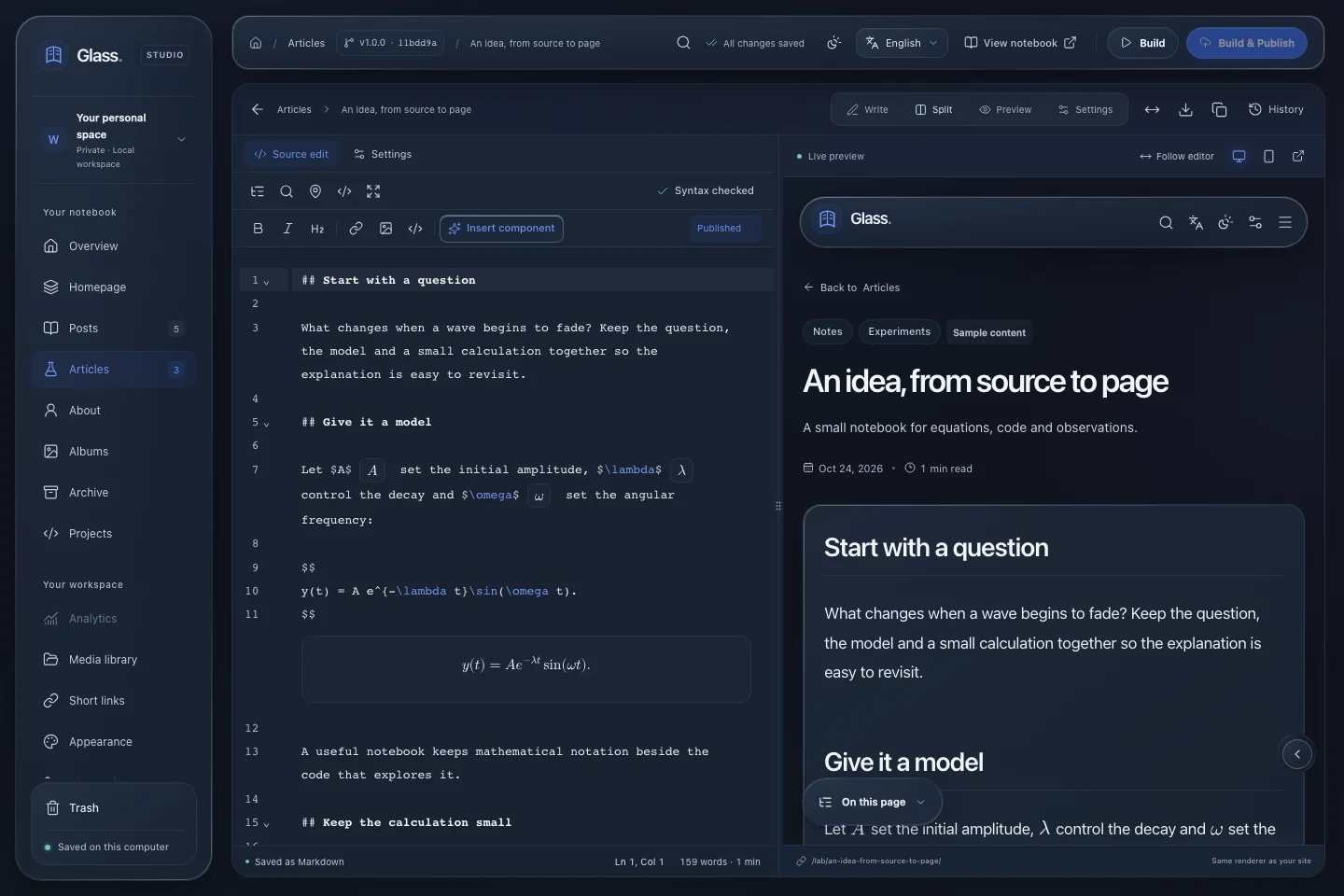
Large documents require scheduling as well as interface features. Source analysis runs through a worker with stale-result guards. New edits supersede older pending work. Rich previews prioritize visible ranges, and the minimap separates its document drawing from its scroll-position overlay.
The preview reuses production rendering rules. Image operations, mathematical packages and component forms therefore have a common interpretation across source assistance, private preview and publication. Revision comparison uses CodeMirror too, while restoration remains an explicit, revision-checked operation.
Compilation produces a reading artifact
A build captures source, discovers published entries, resolves routes and references, renders content, bundles reader assets and generates search data. Validation happens before replacing the accepted artifact.
View Mermaid source
accDescr: Studio saves portable content. A captured build validates and compiles it into static pages and assets, which the public reader serves.The Markdown pipeline uses unified and remark, with explicit support for GFM, mathematics, directives and sanitized HTML. Routes, local links and media are checked as part of the build. A link to an unpublished local destination cannot create a public page by itself.
Rendering results are cached with source, code and context fingerprints. Changing a renderer or a relevant setting invalidates dependent work. Cached rendering still passes through the surrounding route and reference validation.
Browser assets use fingerprinted paths for immutable caching. Fixed metadata is revalidated so a reader can discover the current asset graph. Preparing a candidate artifact separately from the accepted one also gives failures a useful boundary: a broken build can leave the last successful output available.
Expensive rendering belongs before publication
MathJax 4 converts article equations to SVG during compilation. Each Markdown document receives its own mathematical context, allowing local macros without carrying definitions between articles. Optional packages include selected physics, chemistry and other STEM notation; the supported set is explicitly bounded.
Mermaid diagrams are compiled using an isolated Chromium renderer. The build produces sanitized light and dark SVG variants with namespaced identifiers. Theme switching selects an existing result. It does not require a reader's browser to compile the diagram again.
Expressive Code prepares highlighted source, file titles, markers and collapsible sections. Reader controls copy the original source without gutters or toolbar labels. Pseudocode has its own presentation and mathematical operator rendering.
This moves work away from ordinary article visits. The public Tools page is an intentional exception: reader-entered equations need a local rendering environment, loaded within that utility's separate asset graph. Article pages keep their compiled mathematics.
Static pages can still be interactive
The finished artifact contains useful static forms for components. A chart can include an SVG and an exact-value table. A diagram remains an illustration. A comparison retains its images. Printing can expand material that would otherwise live behind controls.
Reader JavaScript adds interaction to those results. Chart exploration can load ECharts on intent. The image viewer loads when opened. Search loads its own index and interface. Navigation and glass controls have their own focused enhancement code.
This requires disciplined boundaries. Importing an editor or a renderer into a shared reader module would defeat the separation even if a particular page never used it. Glass maintains distinct asset graphs and checks generated output, including reading with JavaScript disabled.
The interface follows the same principle. Shared material tokens distinguish navigation glass, the continuous reading surface and denser source or data insets. Reader controls can adjust typography, width and materials; reduced-motion and reduced-transparency preferences provide additional usable presentations.
Search is part of publication
Pagefind indexes the rendered published site during the build. It can include full article text, visible code and public structured content, rather than a short excerpt of each Markdown file.
The index excludes drafts, Studio, private history and interface chrome. Each content language receives its own native index and tokenizer. A small manifest connects the reader to the current fingerprinted indexes.
Queries therefore run against a static search artifact. Publication updates that artifact together with the pages it describes. Correct content language metadata matters: interface translation and an article's language are separate settings, and changing a menu language does not translate authored prose.
Cloudflare separates the private and public sides
The hosted arrangement uses separate Studio and reader Workers. The reader serves generated assets and the narrow public adapters needed by enabled features. It does not receive the private notebook's D1 or R2 bindings.
Studio sits behind Cloudflare Access. Its own authentication verifies the Access token and owner allowlist, while mutation paths enforce their session and origin protections. The boundary includes private media, compiler files and authoring references as well as the application shell.
Workers Builds supplies a Node environment for expensive operations: native image processing, production rendering, indexing, backups and related jobs. Request Workers coordinate these operations through captured jobs instead of spawning local processes.
A hosted installation consequently has several responsibilities:
| Part | Responsibility |
|---|---|
| Studio Worker | Owner interface, private APIs and job coordination. |
| D1 | Notebook manifest, concurrency checks, jobs and release records. |
| Private R2 | Notebook objects, originals, history and captured results. |
| Workers Builds | Compilation and other heavy operations. |
| Reader Worker | The accepted public artifact and enabled public adapters. |
These resources have configurable names and domains. Their binding identities and trust boundaries need to remain consistent when reconnecting a repository or updating an installation.
A code deployment and a publication are different operations
An author can save many unfinished revisions without making them public. Publication captures the selected notebook state as a release and starts the reader build. A code push updates the software and can rebuild the already approved release.
That distinction prevents Git-connected deployment from becoming an accidental publication mechanism. A private draft committed to a development repository is not automatically a public article. Build-only and maintenance jobs also remain distinct from publication.
The local workflow remains simpler to operate: run Studio, build a self-contained dist/ directory, and use the retained Cloudflare Pages Direct Upload path when desired. Both workflows use the custom engine, but hosted builds obtain their notebook through the cloud release process.
Media has its own lifecycle
Uploaded media passes through preparation and validation. Resizing and cropping produce usable derivatives while retained originals stay private. Images carry dimensions for stable layout, and the public viewer can expose deliberately selected metadata and downloads.
Canonical Markdown keeps readable media references. Optional R2 delivery maps eligible public assets to immutable content-addressed objects. Matching bytes can share a stored object while authored references and aliases retain their meaning.
Usage checks consider current content and recoverable history. A file that appears unused in today's article may still belong to a revision or Trash entry. Reviewed cleanup, portable backups and restoration therefore belong to the same media lifecycle.
Optional services keep their own boundaries
Giscus supplies conversations through GitHub Discussions. Glass generates matching light and dark themes and adds article, section and line-annotation interfaces. The public annotation adapter discovers eligible public threads; author credentials stay outside reader output.
ACA is an independent analytics Worker and D1 service, with a private Studio dashboard. Its measurements need context: event coverage, active-reading estimates and approximate network counts cannot identify every human reader or establish exact attention. Browser restrictions, missing consent and interrupted requests affect what is observed.
The repository also includes an isolated Vinext prototype for evaluating dynamic APIs and server rendering. It has its own dependencies and infrastructure. Reader accounts and a full personalized application are future architectural work, rather than capabilities implied by the static blog.
The tradeoffs are deliberate
A custom engine gives Glass control over output, component semantics and the writing experience. It also creates maintenance work: the Markdown vocabulary, compiler, editor assistance and documentation must evolve together. Supported mathematics is a defined MathJax subset, not a complete LaTeX installation.
Static publication shifts work into builds. New search data and rendered diagrams need a successful build, and hosted heavy operations depend on the build queue. D1 writes, R2 storage and Worker execution have real limits; private history and retained objects need attention over time.
Portable source, tested boundaries and explicit release steps make those costs easier to inspect. The aim is a publishing system whose behavior can be understood from the document, the compiler and the accepted artifact.
Start with a small notebook
The Glass repository includes generic content and documentation. For local exploration, install Node.js 22.17 or newer, run npm ci, install Chromium with npm run renderers:install, and start npm run dev.
For hosted authoring, follow the dashboard deployment guide. It covers the two build pipelines, Access, private storage, configuration and the first release. Local Studio is useful, but it is not a prerequisite for the hosted workflow.
Begin with a short entry, one image and a preview. Then follow the Markdown reference as the writing calls for equations, diagrams or interaction. The same source should remain useful in the editor, in a browser and as an exported document.