The component showcase
A living field guide to this notebook — readable typography, MathJax, three function plots, two chart styles, image comparison, diagrams, and all the small details around them.

This page is a small tour of everything an article can contain. Read it slowly, move a slider, open a data table, or jump between sections with the floating outline. Each example is real: the equations are typeset, the plots respond, and the code can be copied.
The illustrations and datasets are demonstration material. The page is also a useful starting point for a new essay, experiment, or technical note.
A page made for reading
Good typography gives an idea somewhere to settle. Strong text creates emphasis, italics add a quieter voice, and an abandoned thought can remain visible without competing with the next one. An inline expression such as const curiosity = true belongs comfortably inside a sentence.
A link can take you to a small case for curiosity, a related wave experiment, or the complete archive. The surrounding interface uses the same accent, materials, and light or dark appearance as the article.
Give the important things somewhere to breathe. A reading surface should make the words easier to follow, while the controls stay close enough to help.
A smaller heading
Third-level headings appear as nested items in the floating outline. They are useful when a section contains several related ideas.
A quiet fourth level
Fourth-level headings stay in the article itself. The outline concentrates on the larger structure so that it remains useful on a small screen.
A window of Liquid Glass
A floating control has a different job from a reading surface. Its edge catches the light, the background bends through the lens, and the words above it stay sharp. The grid behind this specimen makes that refraction easier to see. Move the pointer across the glass to change its highlight.

Light, with a little depth.
Follow the light around the edge and the grid through the lens. The text stays on its own clear layer.
Explore the archive ↗Navigation, the floating outline, and Studio controls share this material system. Full edge refraction is available in Chromium browsers; other browsers retain the highlights, tint, depth, and backdrop blur. Reduced transparency replaces the optical layer with a solid surface.
Equations, already typeset
Inline mathematics stays in the flow of the paragraph: if
Aligned expressions make a short derivation easier to scan:
Matrices and piecewise functions work too:
These formulas are rendered to SVG during the static build. They remain visible when browser JavaScript is disabled; the TeX source supplies an accessible label.
Three functions to explore
All three plots share a keyboard-operable pair of sliders and a Reset button. Select a slider and use the arrow keys for small adjustments. The horizontal domain is
A sine wave
For
A wave, shaped by you
A Gaussian curve
This preset draws
A softer shape
A polynomial
The third preset draws
A curve with turning points
Data, drawn two ways
The following charts use the same invented dataset: minutes spent reading and making over six days.1 Select a legend item to hide or reveal a series. Open View data table for the exact values.
Follow a line
A few minutes, each day
View data table
| Label | Reading | Making |
|---|---|---|
| Mon | 12 | 8 |
| Tue | 18 | 12 |
| Wed | 15 | 23 |
| Thu | 28 | 20 |
| Fri | 24 | 32 |
| Sat | 38 | 27 |
Compare the bars
The same observations, as bars
View data table
| Label | Reading | Making |
|---|---|---|
| Mon | 12 | 8 |
| Tue | 18 | 12 |
| Wed | 15 | 23 |
| Thu | 28 | 20 |
| Fri | 24 | 32 |
| Sat | 38 | 27 |
Two moments, one landscape
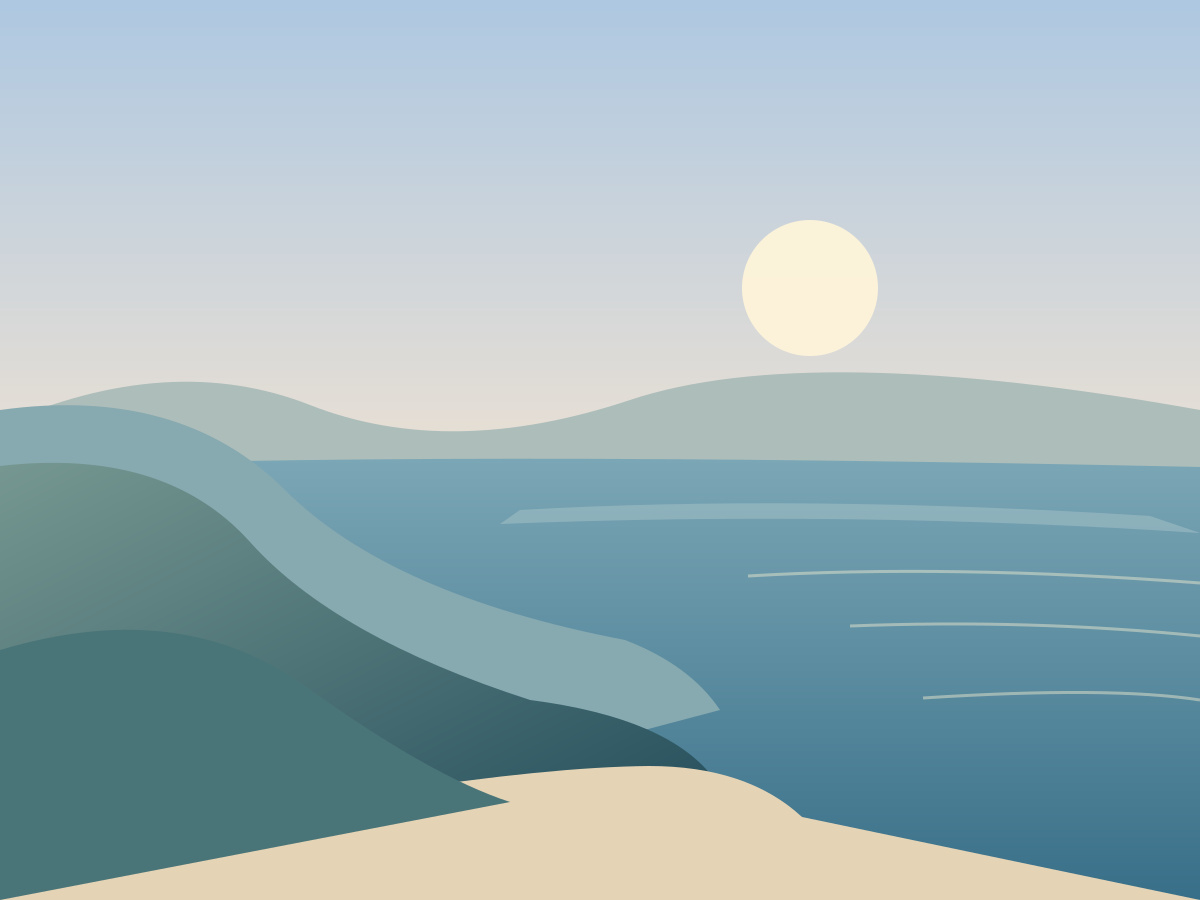
An image comparison lets one scene carry two versions. Drag the handle across this illustrated coastline, or focus the vertical divider and use the arrow keys.2
From first light to blue hour
Diagrams that explain
A diagram can show relationships more quickly than another paragraph. This flowchart follows an idea through writing, preview, and publication:
View Mermaid source
flowchart TD
  A[An idea worth keeping] --> B[Write in Markdown]
  B --> C[Preview the article]
  C --> D{Ready to share?}
  D -->|Keep thinking| B
  D -->|Yes| E[Build static pages]
  E --> F[Publish the notebook]
A sequence diagram gives the same process a sense of time:
View Mermaid source
sequenceDiagram
  participant Author
  participant Studio
  participant Engine
  Author->>Studio: Save a thought
  Studio-->>Author: Changes saved
  Author->>Studio: Build the notebook
  Studio->>Engine: Render published entries
  Engine-->>Studio: Validated static pages
  Studio-->>Author: Build complete
Diagrams load when needed. If enhancement is unavailable, their readable source remains in the page.
Code with room to breathe
Code blocks have language labels, syntax highlighting, and a Copy code button. Long lines scroll within the block instead of pushing the article off the screen.
type Observation = {
  day: string;
  minutes: number;
};

const totalMinutes = (week: Observation[]) =>
  week.reduce((sum, observation) => sum + observation.minutes, 0);

const week = [
  { day: 'Monday', minutes: 12 },
  { day: 'Tuesday', minutes: 18 },
];

console.log(totalMinutes(week)); // 30from math import sin, pi
def sample_wave(amplitude=1.0, frequency=1.0, count=9):
return [
(x := -2 * pi + 4 * pi * i / (count - 1), amplitude * sin(frequency * x))
for i in range(count)
]To add an interactive component, insert a fenced block named interactive with its JSON configuration. A code fence named json displays the configuration as ordinary code instead:
{
  "type": "function-plot",
  "title": "A little wave",
  "preset": "sine",
  "amplitude": 1,
  "frequency": 1
}
Images and small details
A regular image needs no interactive wrapper. Descriptive alternative text explains the scene when the image cannot be seen.
First light. The same local illustration used in the comparison above.
Open a quieter note
This disclosure uses the browser's native control. Open it with a click, or focus its summary and press Enter. It works without JavaScript, making it useful for an optional explanation or a short aside.
A horizontal rule marks a change of pace without adding another heading. Footnotes keep supporting details nearby without interrupting the sentence.1
Tables and checklists
Every interactive component starts with something useful in the generated HTML:
| Component | What you can explore | Static fallback |
|---|---|---|
| Function plot | Sine, Gaussian, polynomial | Generated SVG curve |
| Line chart | Series visibility and values | SVG and data table |
| Bar chart | Series visibility and values | SVG and data table |
| Image comparison | The boundary between two images | Both local images |
| MathJax | Inline and display notation | Typeset SVG formulas |
| Mermaid | Flowcharts and sequence diagrams | Readable diagram source |
A short checklist can make the next step clear:
- Give the page a useful title and summary.
- Check the formulas and illustrative data.
- Try the controls with the keyboard.
- Replace the sample material with an idea of your own.
An ordered list gives a process a beginning and an end:
- Write the idea in ordinary Markdown.
- Add an equation, image, or component where it helps.
- Preview the page in light and dark appearance.
- Build the static notebook when it is ready.
The interface around the words
The floating outline tracks your current section and shows reading progress. On a narrow screen it becomes a compact control at the bottom right. The top navigation provides search and an appearance switch; the layout, formulas, code, and widgets adapt to the available width.
Glass supplies a little depth around the controls, while the reading surface keeps the text stable. Reduced motion and solid-material preferences have corresponding fallbacks. Typography, accent color, and materials share the same settings across the public notebook and the local Studio.
A starting point for your own page
This showcase is editable in Studio alongside the other writing. Reuse a section, keep the components that explain something, and remove the rest. A good article rarely needs every component at once.
Continue with the wave experiment, visit the photo journal, browse the archive, or follow future pages through RSS.
A question, with immediate feedback
A small check can make an explanation more active. Choose an answer, compare your reasoning, or open the explanation directly. The question remains usable without JavaScript.
What changes the wave?
Reveal explanation
Frequency
Frequency controls how quickly the pattern repeats. Amplitude controls its height, and a constant shift moves it up or down.
Several views of the same idea
Tabs can hold complementary explanations without interrupting the article’s continuous reading surface. Use the arrow keys, Home, or End to move between views. With JavaScript off, every view is displayed in order.
From intuition to experiment
A richer Markdown vocabulary
These components are written directly in Markdown. They stay inside this page’s continuous reading surface and use the same typography, accents, and materials as the rest of the notebook.
Why use a disclosure?
A short article can offer deeper context without requiring everyone to read it.
- Lists remain ordinary Markdown.
- An equation such as
- Keyboard users can expand this section with Enter or Space.
Questions and conversations
What makes an interface feel calm?
Good spacing, predictable controls, and a clear hierarchy all contribute. A useful discussion can begin with a question and a provisional explanation.
Should every paragraph be a card?
How much visual structure does a long-form article need?
Let the prose flow
Keep the article in one reading surface. Use explicit components where they explain something, and let typography carry the rest.
Two perspectives
An explanation
Refraction describes a change in light’s direction as it moves between materials. Snell’s law gives a compact relationship:
A small example
For air and water, the light bends toward the normal when it enters the denser medium.
const incidentAngle = Math.PI / 6;
const ratio = 1 / 1.33;
const refractedAngle = Math.asin(ratio * Math.sin(incidentAngle));
A sequence worth following
- Observe. Find a question worth staying with.
- Experiment. Change one thing and see what happens.
- Reflect. Describe the result, including what surprised you.
Pictures with room to breathe

Small typographic tools
- Refraction
- A change in the direction of light as it crosses a boundary between materials.
- Reflection
- Light returning from a surface rather than passing through it.
Use a little emphasis where a detail matters. Press ⌘K to search. An SVG remains sharp as it grows. Chemistry uses H2O, while simple powers can appear as x2.
Continue through the archiveWriting and experiments, collected over time.